So when you Batch Normalise along the channels, what you do is make sure the inputs of the red channel, the blue channel and the green channel are normalised with respect to the batch.
Lets consider an image (Sorry about my drawing skills), a simple 40x40 monochromatic image.

I think it is visible that it is somewhat of a bird.
To simulate using a transformation along the height (would work similarly along the width), I’ve inverted colours of every other column
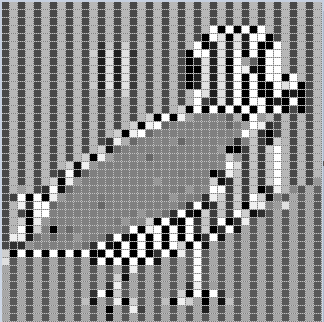
Pretty hard to tell this was a bird right? And remember this that every other column of this had the same transform happen to it, if we batch normalise along the height, every column will have a different transform apply to them, which will remove even more information than this one had and make it harder for our model to get information from. There’s no need to take information out of our data.
Now lets see what happens when we apply the same transformation along the same image.
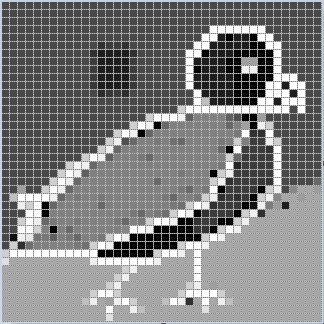
As you can see, we still have the entire image data intact with no losses.
Channels are exactly as a monochromatic image, so when we apply the batch normalisation along the channel, it preserves our data while normalising it. Remember, Batch Normalisation is just a transform (much like inversion I did here) so using it per channel will not cause loss of data, unlike normalising along height or width.
Hopefully this helped you visualise the entire thing  . If not feel free to ask clarifications.