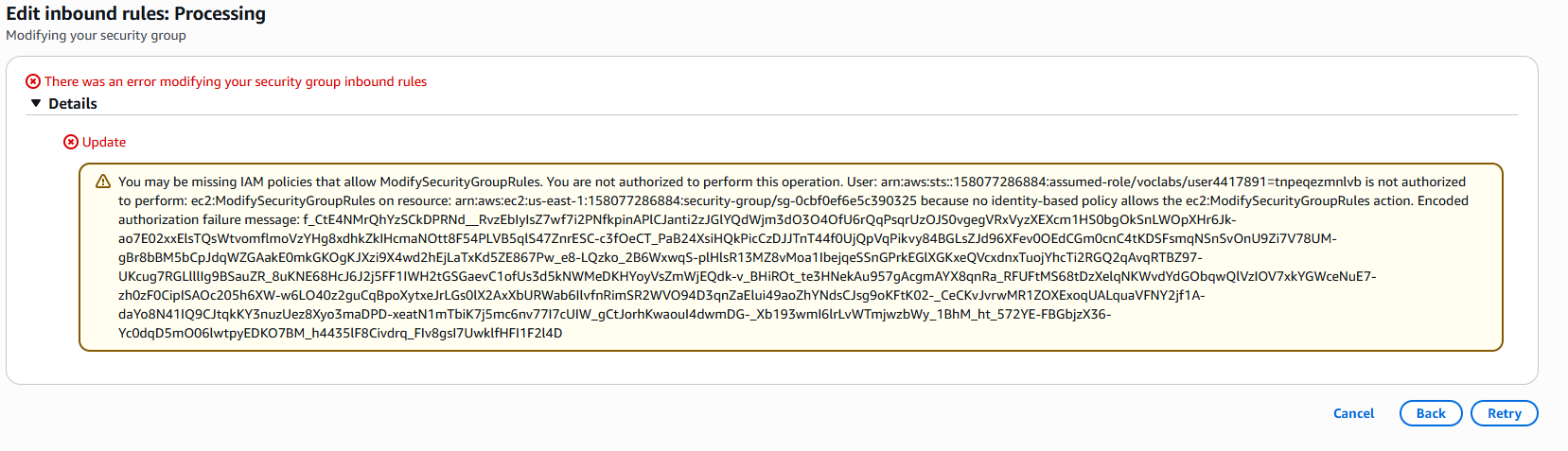
Module-1 Week 3 - Assignment 2
I try to change a port range of rule but couldn’t

The issue:
Hello @duong_minh
Please, make sure you are doing everything exactly as instructed in the lab. You have all the necessary permissions to follow the lab instructions. If you are sure you are doing everything right and still the issue persists, request a lab refresh via this form.
I’m having the same issue, but when I go to the form you linked this scenario doesn’t fit the options supplied:
-The lab freezes at the loading page for more than 20 minutes, and can’t be launched even after refreshing the webpage.
-The link to the AWS console is empty.
-You can’t find the provided AWS resources.
As this error occurred for the first attempted change to the initial lab configuration, I’m guessing something failed to properly initialize. I had to refresh the loading page when it failed to load after 5 minutes and it seemed at the time that it worked but maybe something failed in the background.
I did try and submit to refresh the lab…I chose the first option as the best fit as the input is required to continue on with the form.
Sometimes you just have to walk away for long enough that AWS ends your session and cleans up some of its toys.
Rumor is that can take a couple of hours of leaving your AWS session completely alone.
Yup, that’s what I ended up doing.
I think I was more thinking for them to consider adding an other category to the form or propagating the error message somehow to the user if that’s what happened during the set up. Just a quality of life request