Groq calls to llama-3.1-70b-versatile as the model is deprecated. The entire cell “Kicking off the Crew” crashes.
I am not able to replace it with version 3.3 or other models, as it also throws errors. The notebook is with lengthy tracebacks.
2025-01-25 12:25:15,792 - 139754766441344 - llm.py-llm:161 - ERROR: LiteLLM call failed: litellm.BadRequestError: GroqException - Error code: 400 - {‘error’: {‘message’: ‘The model llama-3.1-70b-versatile has been decommissioned and is no longer supported. Please refer to GroqCloud for a recommendation on which model to use instead.’, ‘type’: ‘invalid_request_error’, ‘code’: ‘model_decommissioned’}}
Unfortunately, this course is turned out to be a disappointment as L_4 and L_5 notebooks just can’t run.
Thank you for your valuable time in advance and I must say the content of Deep learning is top of the line. I have been learning a lot lately.
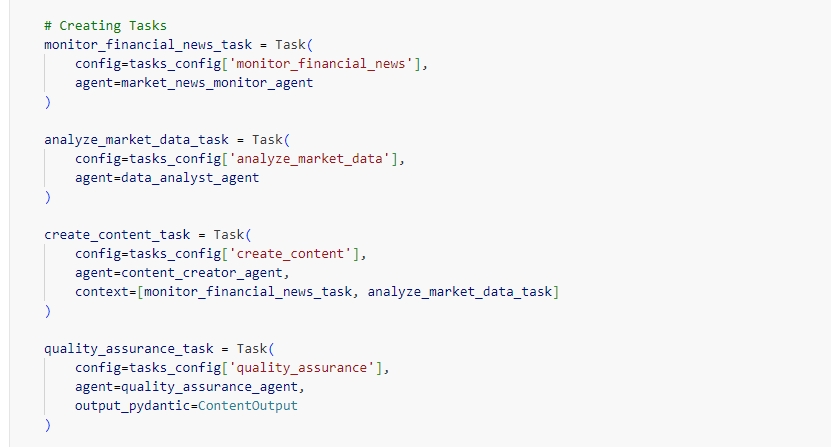
I have modified yaml files for agent and tasks and when I run L5 notebook cell: Creating Crew, Agents, and Tasks it gives following error.
“2025-02-23 20:21:04,049 - 140553805130624 - init.py-init:537 - WARNING: Overriding of current TracerProvider is not allowed”
Can you please assist?
Can I practice different agent and task script in class environment or I need to do in local environment? Is there any credit available for running on local machine for learning purpose?
I’m running again the notebook in L5 doing some updates in the yaml files, and it seems working normally.
Would you mind sharing your yaml file updates so we can double check, please?
Thank you!
Hi. I am also having issue with this notebook when running locally.
When I run - “result = content_creation_crew.kickoff(inputs={
‘subject’: ‘Inflation in the US and the impact on the stock market in 2024’
})”,
I get the following error:
APIError: litellm.APIError: APIError: GroqException - {“error”:{“message”:“Internal Server Error”,“type”:“internal_server_error”}}
When I disable the ,llm=groq_llm’ in my agents, it works. So, the issue seems to be with how I am importing the groq api key. I am using the same method as what I used for the other api keys. I have my keys in a ,.env file’ and I fetch them using the following command:
groq_api_key = os.getenv(‘GROQ_API_KEY’)
I don’t know why that doesn’t work for the groq key but works for the openai key. How do I solve for this?
If you disable the llm=groq_llm, by default, CrewAI uses OpenAI models.
If I understood correctly, you have not set up an helper.py file, however, you are right, you can import any api keys with the command that you have mentioned.
I would suggest you :
check again in your .env file:
GROQ_API_KEY=“your groq_api_key here”
you wrote groq_api_key = os.getenv(‘GROQ_API_KEY’) try using double-quotas:
groq_api_key = os.getenv(“GROQ_API_KEY”)
PS I enclose the groq_lllm only when creating the crew - since using this in each agent means that you should pay to use groq_api_key after a certain quota usage of groq_api.
Thanks @Michela_Agostini for pointing out about the helper.py file. Also, @jay_arora recalling here, when you go to the notebook in the platform and go to File (upper left in the notebook) and click Open, you will find these documents:
and remember to run the requeriments.txt file locally, to install the proper libraries to run it locally and also check the helper.py for the API connections.
Hope that with these recommendations, now the code runs locally for you! Let us know!