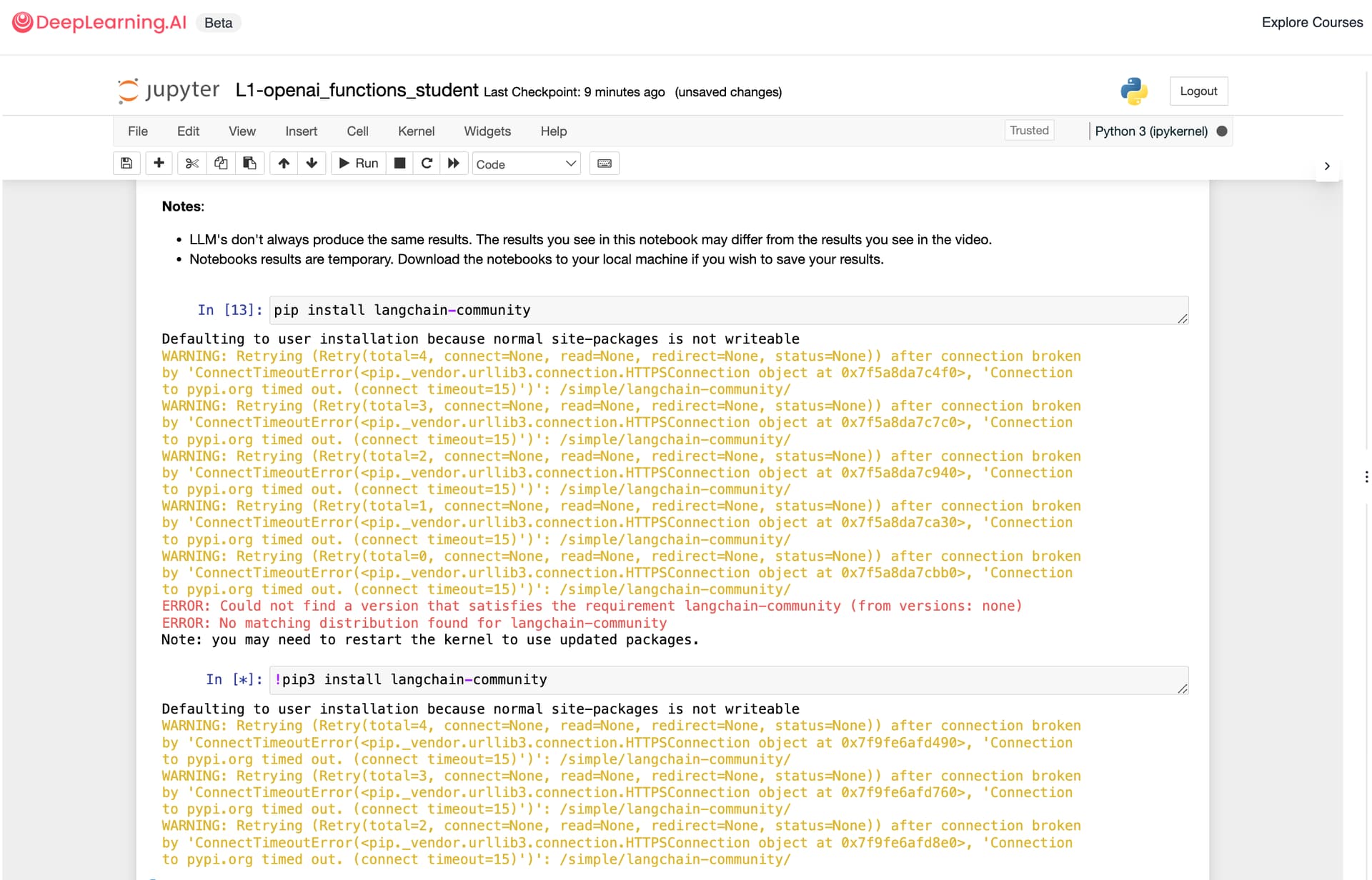
I encountered some challenges while attempting to install a package from PyPI, specifically langchain-community. Here are the warnings and errors I received during the process:
Defaulting to user installation because normal site-packages is not writeable
WARNING: Retrying (Retry(total=4, connect=None, read=None, redirect=None, status=None)) after connection broken by 'ConnectTimeoutError(<pip._vendor.urllib3.connection.HTTPSConnection object at 0x7fbb1a821490>, 'Connection to pypi.org timed out. (connect timeout=15)')': /simple/langchain-community/
WARNING: Retrying (Retry(total=3, connect=None, read=None, redirect=None, status=None)) after connection broken by 'ConnectTimeoutError(<pip._vendor.urllib3.connection.HTTPSConnection object at 0x7fbb1a821760>, 'Connection to pypi.org timed out. (connect timeout=15)')': /simple/langchain-community/
WARNING: Retrying (Retry(total=2, connect=None, read=None, redirect=None, status=None)) after connection broken by 'ConnectTimeoutError(<pip._vendor.urllib3.connection.HTTPSConnection object at 0x7fbb1a8218e0>, 'Connection to pypi.org timed out. (connect timeout=15)')': /simple/langchain-community/
Has anyone else encountered similar issues, or have other suggestions for resolving this? Any insights or shared experiences would be greatly appreciated!
Edit: This issue is not specific to langchain-community; it can occur with any package installation using pip install.
Apparently the pip install <package_name> command was working just fine across all short course on the DeepLearning.ai platform a day ago or so. Not sure what happed…
Yes I tried restarting but it didn’t help. Actually langchain-community package is not required for the course but I wanted to so do some experimentation using from langchain_community.document_loaders import YoutubeLoader function.
Not sure why pip install suddenly stopped working as it was working just fine a day ago .
Edit_1: I did some digging and it look like pip install command is working when in case of the following short course Quantization In Depth by Huggingface.
your error log is related to network issue, also check if you have any antivirus in your system, this could be also the reason. Sharing a similar issue thread, it should help you (check your settings) also make sure you are not using any proxy server