Hello there!
I’m working on week 1 lab 1 (dialogue summarization). I was able to get to opening the jupyter notebook.
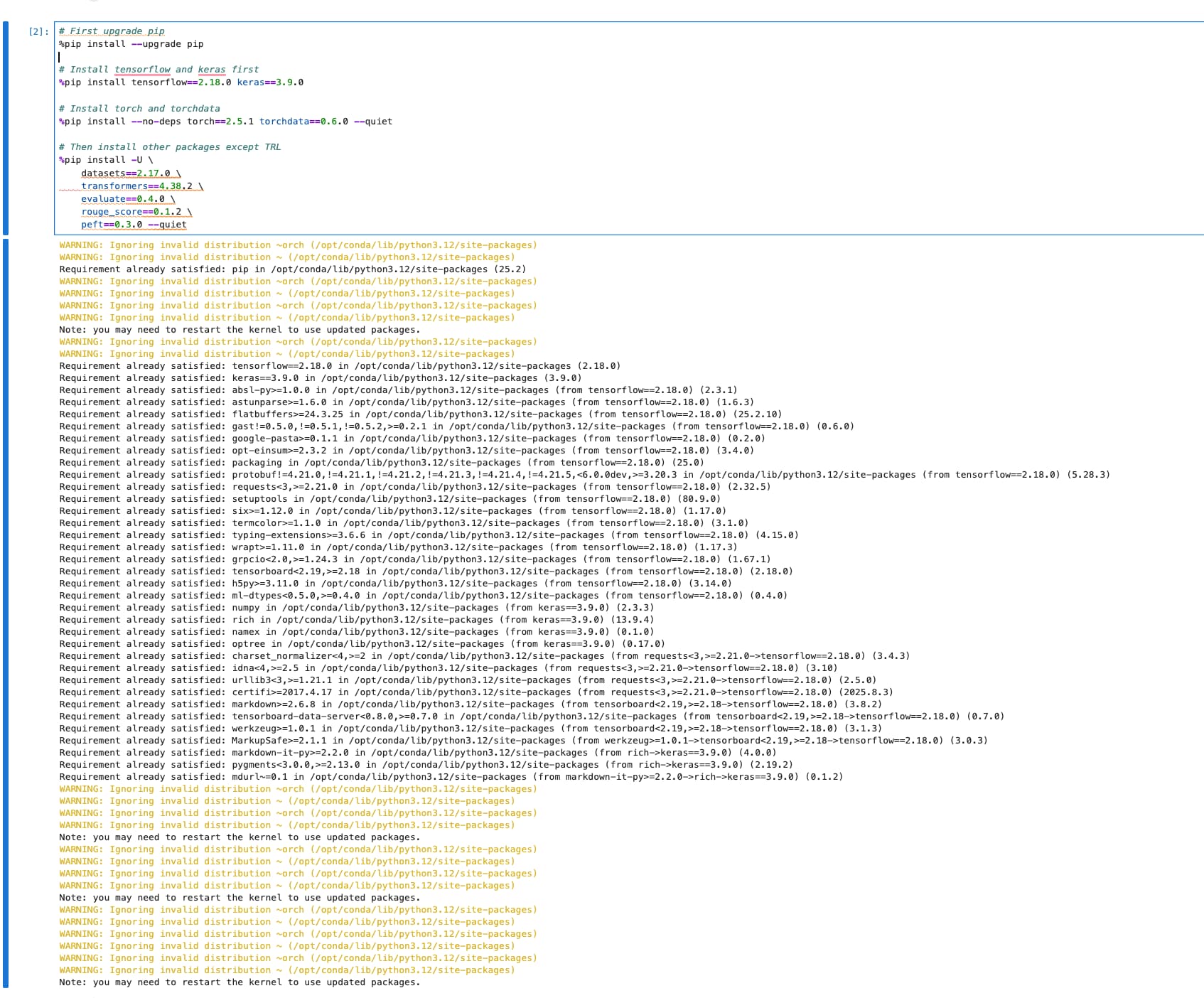
However, it seems like the cells that depend on pytorch (basically everything after pip install) doesn’t work although the pip install section completes. After inspecting the supposedly harmless pip install warnings, then I noticed that pytorch is possibly not being installed.
I already attempted starting from scratch (closing the notebook, deleting local contents and recopying the materials from the bucket and reopening the new copy of the notebook), but I get the same results.
Also, the clock for the instance had already started, and the time is unfortuantely wasted since I wans’t able to do anything without this issue getting resolved.
P.S. the instructions for creating a topic say include “Week #” in the tags, but that’s not an option when selecting the tags (and there is no option to create a new tag also )
Adding screenshots in case they might help troubleshooting 
Thanks.
Hi there,
It sounds like you’re running into a common setup issue where PyTorch doesn’t fully install even though the pip install command seems to complete. A few things you might want to try:
-
Check the PyTorch installation explicitly
After the installation cell, try running:
import torch
print(torch.__version__)
print(torch.cuda.is_available())
If this fails, then PyTorch wasn’t actually installed successfully.
-
Force reinstall PyTorch with a specific command
Sometimes the default notebook environment doesn’t handle dependencies properly. You can try:
!pip install --upgrade --force-reinstall torch torchvision torchaudio --index-url https://download.pytorch.org/whl/cpu
(If GPU is available, replace cpu with the appropriate CUDA version from pytorch.org).
-
Restart the runtime/kernel after installation
Jupyter often requires a kernel restart after installing packages in the same environment, especially for core libraries like PyTorch.
-
Environment mismatch
If this is a managed lab environment, sometimes the base image changes or gets cached incorrectly. In that case, deleting and recreating the instance usually helps, but since you’ve already done that, it’s possible the lab environment itself is temporarily misconfigured.
Regarding the tags, you’re right — if “Week #” isn’t selectable and you can’t create a new tag, it’s likely a configuration issue in the forum setup. You might just choose the closest available tag for now and mention the week number in the post title, which other learners have done in similar cases.
If none of the PyTorch fixes work, I’d recommend raising it as a lab environment issue with the course support team — since the clock is already running, they may also be able to credit you for the lost time.
— Steve
Hi! Thanks for the response.
I tried the step with uninstalling and reinstalling torch-related packages, then I ran into another issue when loading the dataset due to no space on the instance (screenshot attached). My guess is that the lab environment might indeed be out of date .
How can I raise the issue to the course support team? The course instructions point me here as where to raise tickets related to course issues.
Hello, did you restart the Kerner after the pip installs?
Hi @gent.spah - yes - as mentioned above, after resolving pip issues and restarting the notebook, the code still runs into another issue related to No space left on device when loading the dataset (see most recent screenshot). This blocks next steps since I’m unable to load the dataset.
Hi @chris.favila would you like to have a look on this issue!
Hi, and thank you for reporting. This didnt show when I ran the lab a few days ago. Will check again today and see if there are any changes in the lab environment. Will update here asap.
Hi. I can confirm that the lab is still working as is. The error might be a temporary issue. By any chance, are you restarting the session after the pip installs? If so, take note that you don’t need to do that. The entire can be run without restarting or any modification.