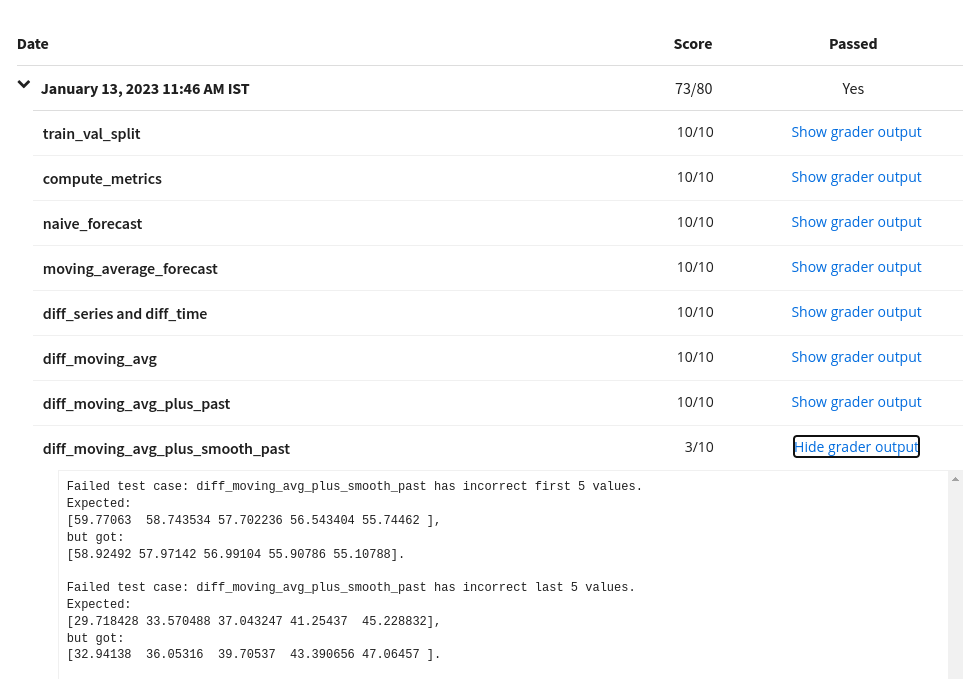
In last cell I found output as mse: 13.59, mae: 2.29 for moving average plus smooth past forecast but expected output is mse: 12.53, mae: 2.20 for moving average plus smooth past forecast.
When I submitted my solution. " diff_moving_avg_plus_smooth_past" function returns different results
Failed test case: diff_moving_avg_plus_smooth_past has incorrect first 5 values.
Expected:
[59.77063  58.743534 57.702236 56.543404 55.74462 ],
but got:
[58.668976 57.85377  56.53393  55.798813 54.42734 ].
All previous answers give the expected results. I don’t know where did I go wrong?
Here are some hints to fix mistakes in the notebook:
Keep in mind that validation series is towards end of the dataset. So, it’s sufficient to take last few points in time:
# Perform the correct slicing
diff_moving_avg = ...
In snippet below, you are expected to take elements from 1 year before SPLIT_TIME. The left endpoint should start before SPLIT_TIME and the right end point should be 1 year lesser than
the actual length of past_series.
# Slice the whole SERIES to get the past values
past_series
Edit:
More hints based on your recent notebook:
Please follow these steps to refresh your workspace. Look for Click here for hints in the notebook (which is missing in your version).